FORM AUTOMATION · DOCUSEAL · MONDAY.COM · GOOGLE DRIVE
Investment Commitment Form Automation
The Problem
"During an active fund raise with 40+ applicants, the team was spending a full day just re-typing what applicants had already written into the PDF template. And mistakes kept slipping through."
Meridian Capital Group manages Section 12B venture capital funds in South Africa. Every new investor commits via a 6-page PDF: personal details, entity type, capital amount, FATCA declarations, and a wet signature. Staff would receive scanned or emailed forms, manually re-key 35+ fields into a Word template, save as PDF, rename the file, upload to a folder, and log the entry in a spreadsheet. 15 to 20 minutes per applicant, with transcription errors creating compliance headaches downstream.
The Automation Pipeline
End-to-end flow: hosted form submission to completed PDF filed in Drive and logged in Monday.com.
n8n orchestrates the full chain: creates the DocuSeal submission, completes it with form data and signature, polls for the PDF, downloads the binary, uploads to Drive, and creates the Monday.com item.
The Hosted Form
A clean, branded HTML form hosted on Vercel replaces the emailed PDF. Two entity types toggle different field sets: Individual shows personal ID and tax fields; Company/Trust surfaces registration number, authorized signatory, and capacity. A canvas-based signature pad captures the wet signature as a base64 PNG and sends it with the submission payload.
View Live Form Demo →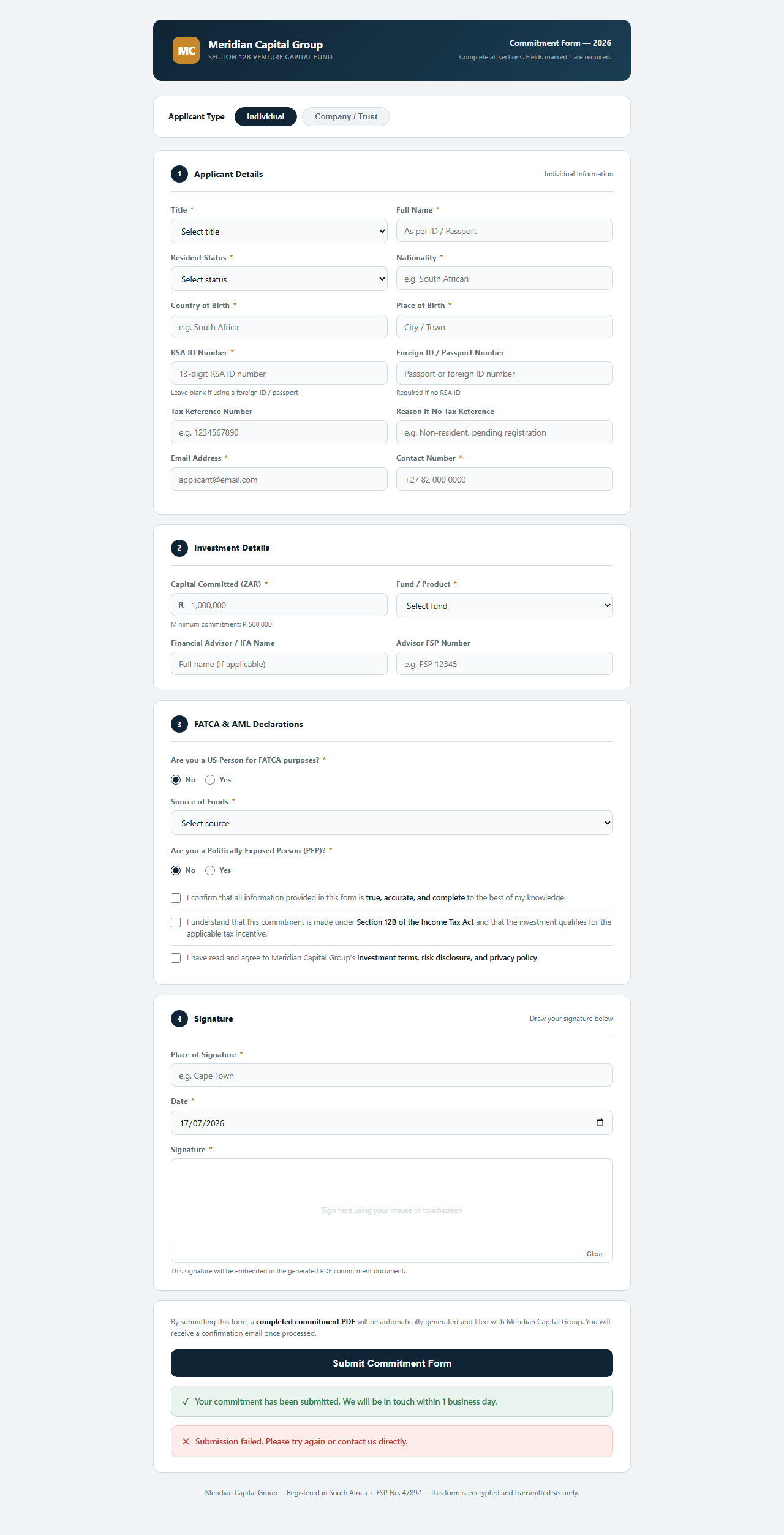
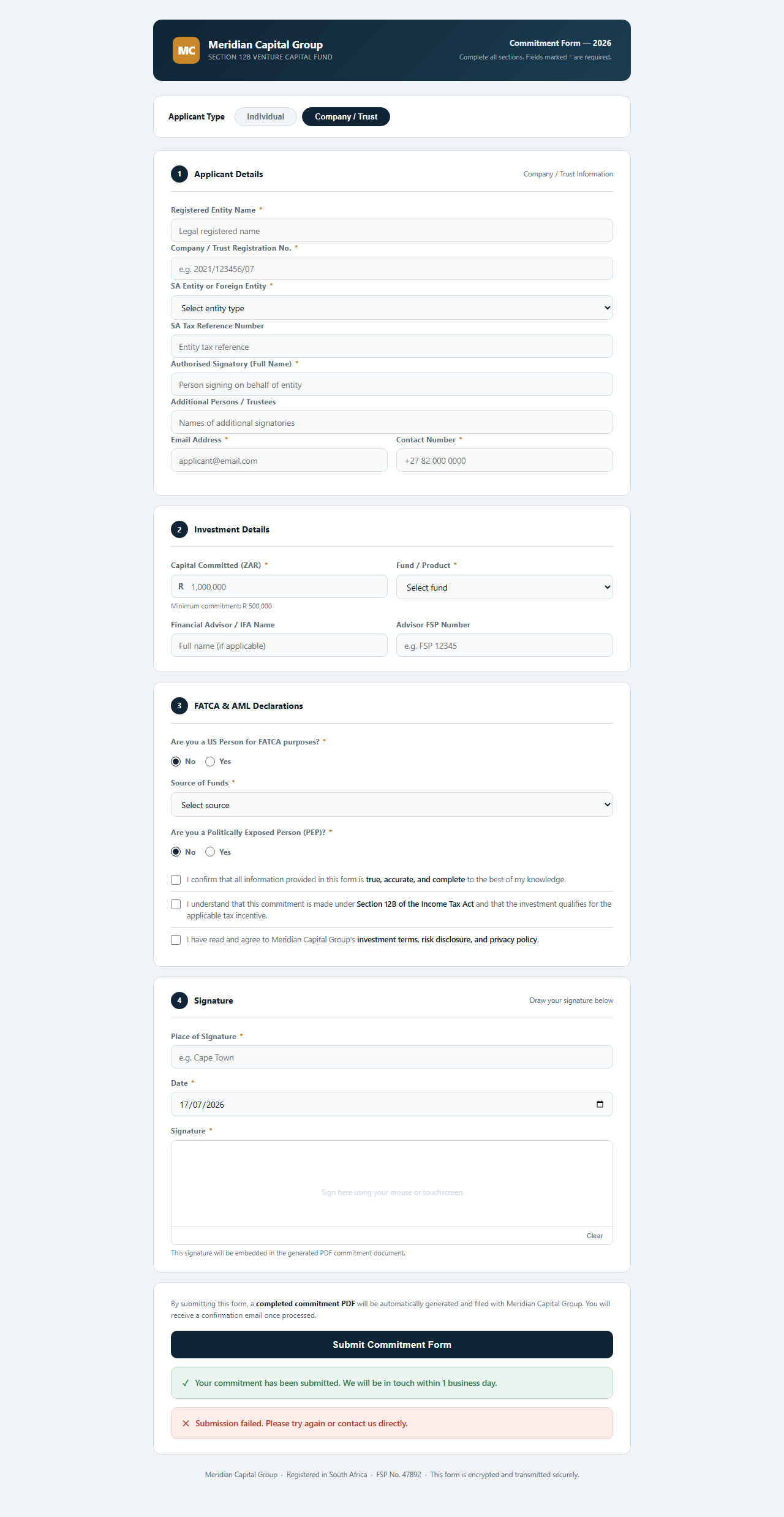
Left: Individual view. Right: Company/Trust view with additional entity fields.
Auto-Filled PDF Output
DocuSeal's template API populates all 35+ fields in the 6-page commitment form using the exact AcroForm field names from the original PDF. The signature is embedded on the final page. The completed document is saved to Google Drive as "{Applicant Name} - {YYYY-MM-DD}.pdf" within 3 seconds of form submit.
How It Works
Applicant fills the hosted form
Name, ID number, entity type, capital committed, FATCA declarations, and a drawn signature captured on an HTML5 canvas. The form validates required fields client-side and POSTs a JSON payload to the n8n webhook on submit.
n8n builds the DocuSeal payload
A Code node maps all 35+ form fields to their exact DocuSeal template field names, strips inapplicable fields based on entity type, and constructs the API payload with the submitter's email and pre-filled values.
DocuSeal fills and completes the PDF
A POST to DocuSeal's submissions API creates the pre-filled document. A follow-up PUT to the submitters endpoint marks it completed and embeds the base64 signature on the signature page. DocuSeal generates the final PDF.
PDF uploaded to Google Drive
n8n waits 8 seconds for PDF generation, retrieves the download URL, downloads the binary, and uploads it to the designated Google Drive folder named by applicant and date. No manual file management.
Monday.com item created
A GraphQL mutation creates a board item with all applicant data mapped to columns: name, email, entity type, capital committed, advisor, submission date, and Status set to 'New'. The deal is in the CRM before the applicant closes the browser tab.
The Key Engineering Decision
"DocuSeal's visual field mapper means a new fund product with a different PDF template takes 2 to 3 hours to set up, not a full rebuild. Only one value in the n8n workflow changes: the template ID."
The biggest debugging challenge was discovering that the original PDF's AcroForm field names did not match the display labels in the DocuSeal UI. The PDF had a field named "Full name " with a trailing space. Querying the DocuSeal template API directly to get the exact internal field names was the only reliable way to confirm them.
DocuSeal's POST /submissions endpoint also returns submitter objects directly at the top level, not nested under a parent submission object. Understanding the actual response shape from the API, rather than assuming a structure, was critical to correctly wiring the submission ID into the follow-up completion call.
Results
Running a fund, law firm, or any business that still fills PDFs by hand?
Same system works for any multi-field PDF: intake forms, agreements, onboarding docs.